Android · Coming soon
Lock in. Own your phone.
Set when your phone rests and your daily scroll limit, allow two Android permissions, and you are done. Start a focus or study session whenever you need one. No account, and nothing leaves your phone.
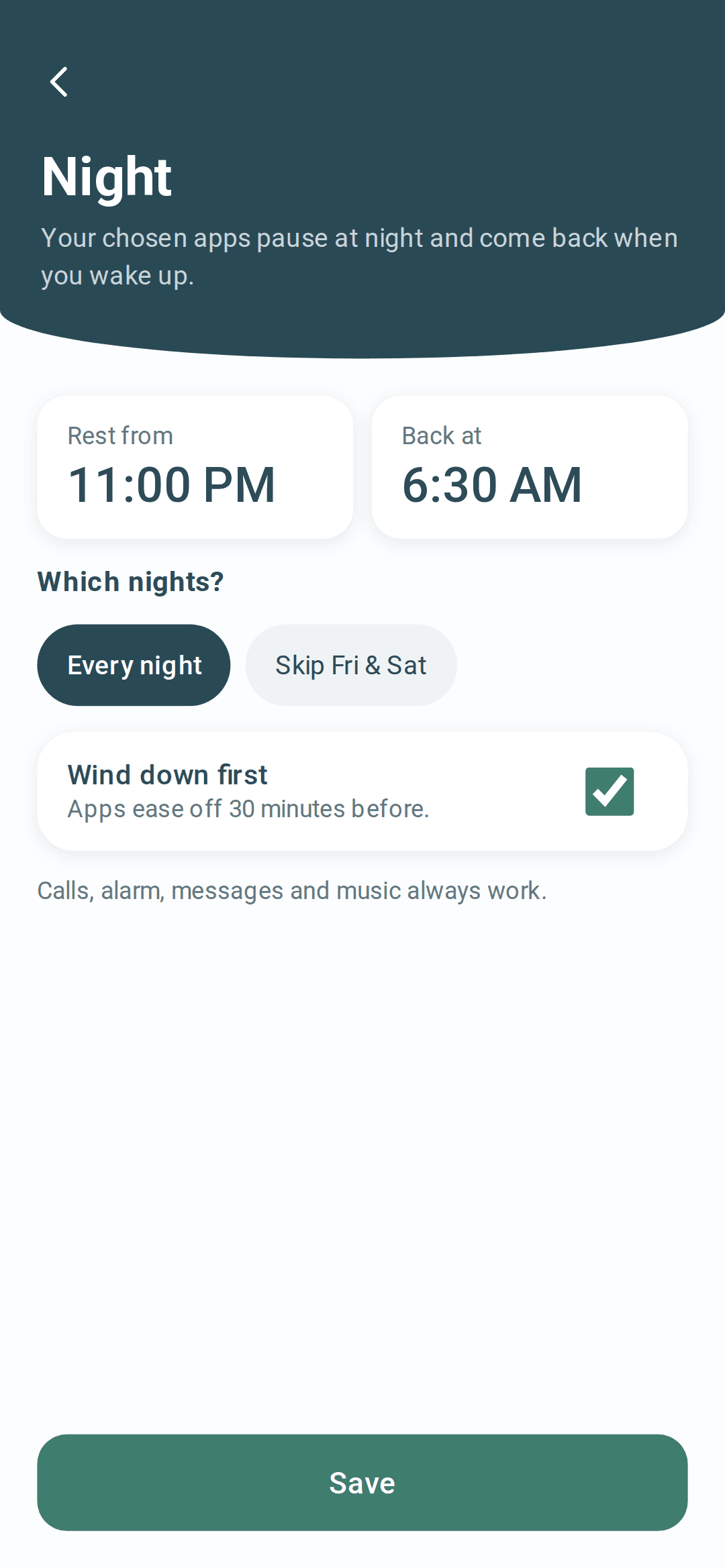
Get told when it's out1. Night. Pick when your phone rests and when your apps come back, every night or skipping Friday and Saturday nights. Windows that cross midnight work. With the optional wind-down, apps give you short five-minute slots in the 30 minutes before your night starts.
2. Scroll limit. Choose your daily minutes on the apps you pick: 15, 30, 45, 60 or 90, or no limit. The app counts the time on your phone, and when it is used up those apps pause quietly until tomorrow.
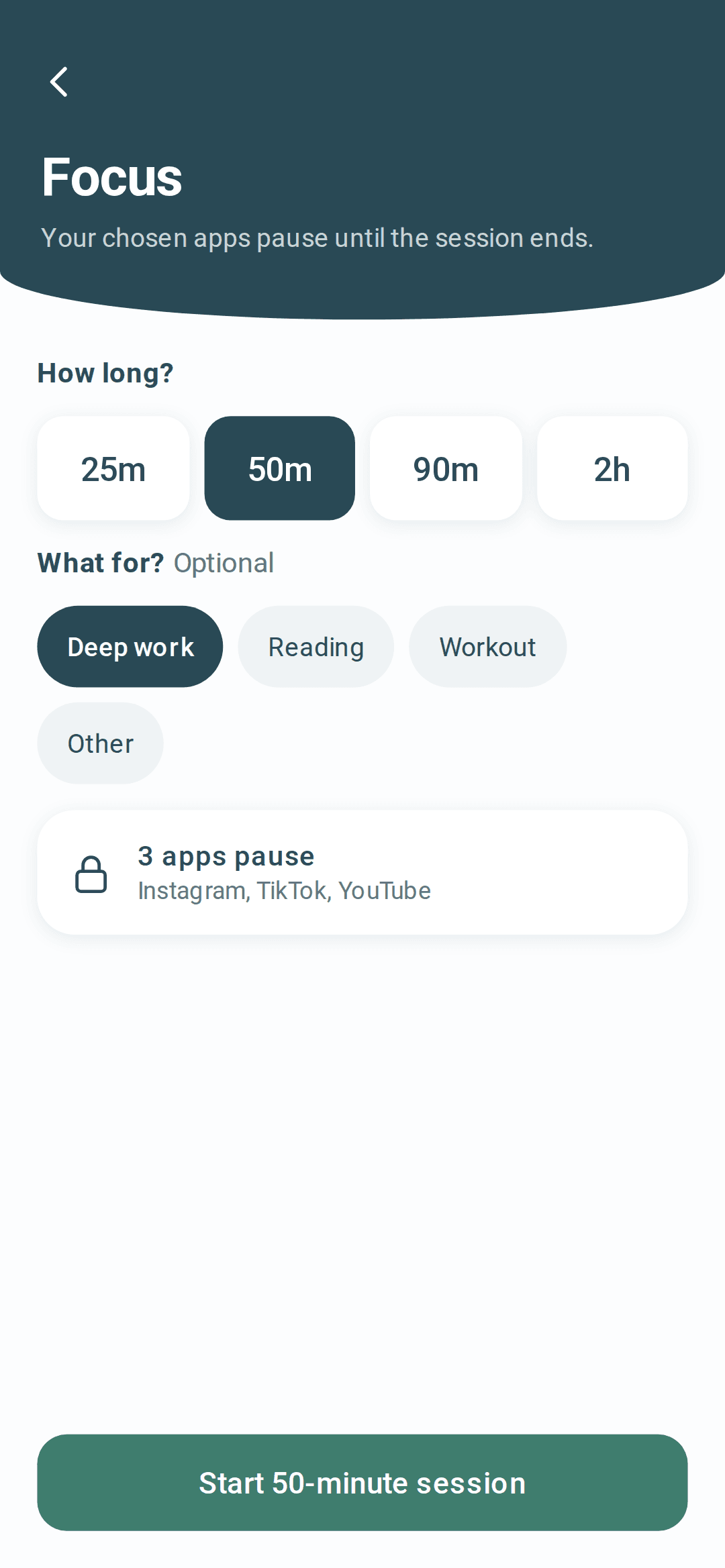
3. Sessions. From the home screen, choose Focus or Study, pick a length from 25 minutes to 2 hours, and start. Your chosen apps pause until the session ends, and you can end it early whenever you like. Start as many as you want each day.
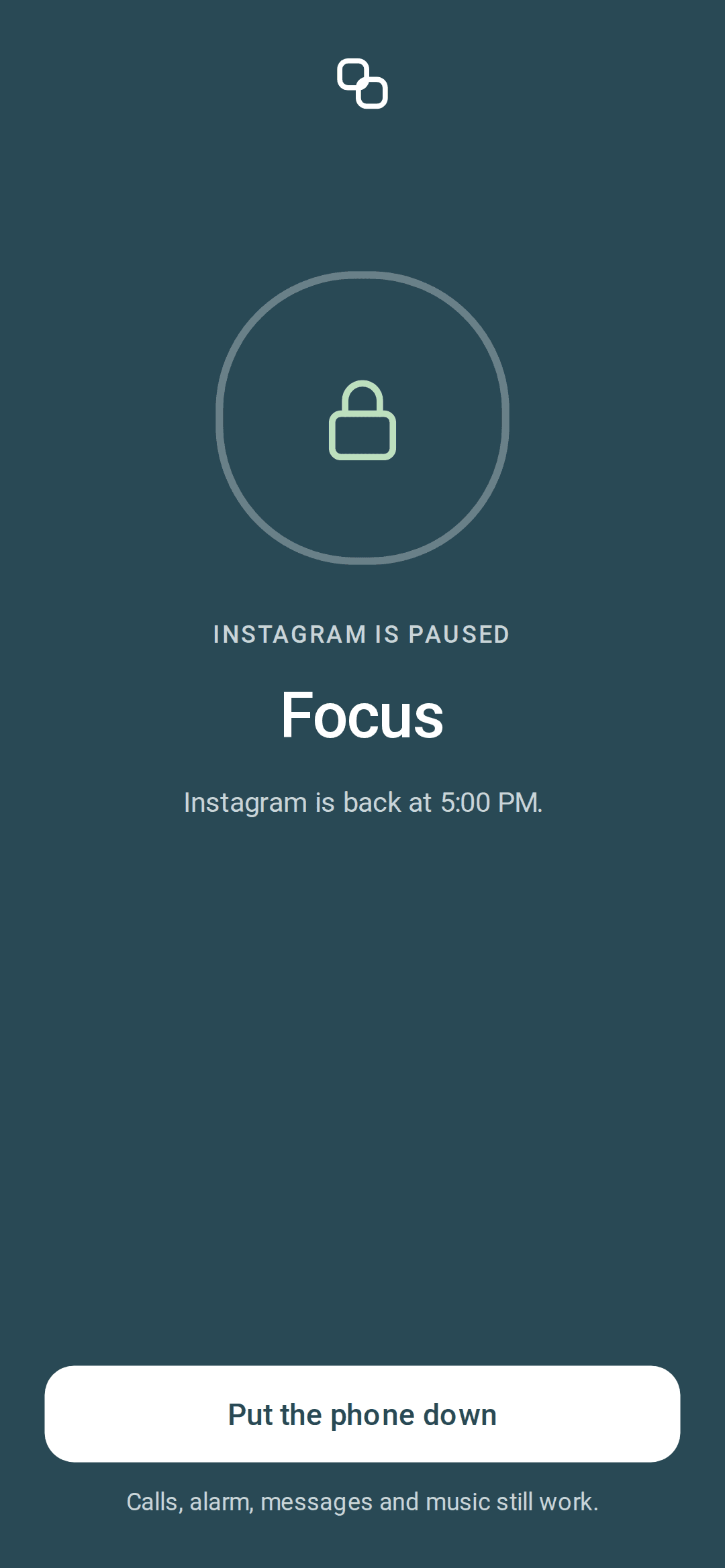
A calm pause, never a lecture. Opening a paused app shows a quiet full-screen pause. After a short wait you can still use it for a few minutes; the wait grows a little if you keep reopening it, up to 15 seconds, or 20 seconds at night. Calls, alarm, messages and music always work.
Safe browsing, verified. This optional switch uses Android's own Private DNS with Cloudflare's family filter to block adult and harmful websites in most browsers. Browsers with their own secure DNS setting can go around it. The app makes a real test lookup and shows in Settings whether filtering is actually working.
Quiet by design. Your plan is saved as Pacts on your phone, which you can fine-tune under Settings. There are no streaks, counters or reminder pings, and the only notification says "Steady is on".
Inside the app
What you will see.
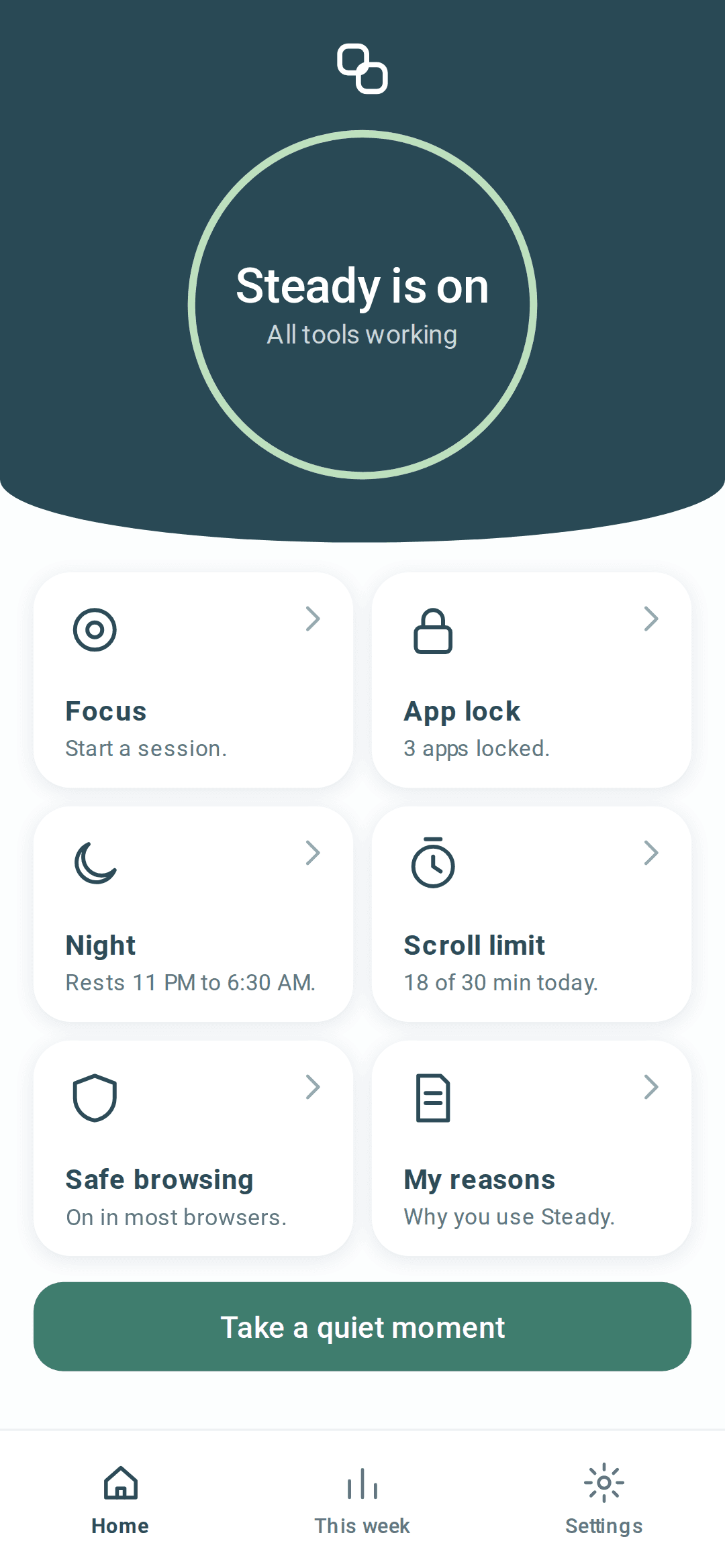
There is no sign-up and no login. Your plan, chosen apps, daily scroll time and reasons are stored only on your phone and are never uploaded. The only network use is the Private DNS test lookup.
Usage Access is used only to see which app is on screen right now, on the phone, so the right Pact can respond. "Display over other apps" is used only to show the pause screen. The app explains each permission before opening Android settings. Uninstalling the app deletes everything. SteadyPact is for adults aged 18 and over. Details are in the privacy policy.
No blocker is impossible to get around, and we are not going to pretend otherwise. You can revoke a permission, force-stop or uninstall the app, restart in safe mode, or switch Private DNS off, and a VPN can route around Private DNS. SteadyPact cannot prevent any of that.
What it does is put a deliberate pause in front of the apps you chose, and show you plainly when something is not working instead of a reassuring green tick. Some phone makers' battery settings can delay the pause screen, so setup shows you how to let SteadyPact keep running, and there are guides for each phone brand.
- What it is
- A calm focus app for Android phones
- What it does
- Rests your apps at night, keeps a daily scroll limit, and pauses chosen apps during focus or study sessions
- Price
- Free at launch, no ads in the app
- Account
- None. No sign-up, no login
- Your data
- Stays on your phone. Nothing is uploaded
- Internet
- Not needed. Works offline
- Permissions
- Usage Access and Display over other apps. No VPN, no Accessibility service
- Notifications
- One quiet notice: “Steady is on”. No reminders or streaks
- Who it is for
- Adults 18 and over
- Made by
- Pixelridge Web